
 Türkçe
 English
 Deutsch
 Français
 Magyar
 Italiano
 Polski
 Română
 Čeština
 Dansk
Dansk Español
 Ελληνικά
 Nederlands
 Português
 Русский
 العربية
Rohan2
- Erebor
- World
- Mobile
Language Support

Overview
Choose the character you can play well and bring it to its best for both PvM and PvP. To develop your character more easily, read the update topics on the forum and our wiki.
Warrior
- Bodily
- Mental
Warriors are the vanguard of every battle. They take on the hardest tasks and overcome every obstacle with their powerful build. After level 5 they choose the Bodily or Mental path. Most players play a Mental Warrior up to level 30, then reset their skills at the Fortune Teller and switch to Bodily Warrior.
Ninja
- Blade Fight
- Archery
Ninjas are chosen with care for good reason. Known as extremely dangerous for their agility and skill, they are trained as assassins. After level 5 they choose one of two paths: Blade Fight or Archery.
Sura
- Weaponry
- Black Magic
Known as the seed of the devil, Suras are a unique class with very powerful magic. After level 5 they choose between the dark powers of magic. Some empower their weapon and become Weaponry Suras, others give in to black magic and become Black Magic Suras.
Shaman
- Healing
- Dragon Force
Shamans are wise characters with great magical power. Their help and strength in battle are beyond question. At level 5 they choose one of two paths with very different skills: Healing or Dragon Force.
Lycan
For a long time Lycans existed only in legends and tales.
Bonuses

1-5. Bonuses
The first 5 bonuses each item type can roll and their tier values. Values are listed from the lowest tier to the highest.
- AddingThe first 4 bonuses are added with
 Reinforce Item, the 5th with
  Blessing Marble. Adding can fail.
 - Changing
 Enchant Item rerolls all bonuses 1-5 on the item together with their values.
  Enchant Item+ lets you choose between the old and the new bonuses afterwards.
 - Green Series
 Green Power and
  Green Enchantment can only be used on level 40 armour and weapons.
 - DuplicatesAn item can have the same bonus only once. Equipment with variable bonuses and bonuses 6-7 are exceptions.
Damage
- Average Damage-55% ~ +60%
- Skill Damage-27% ~ +28%These two bonuses can only roll on level 30, 75 and 105 weapons and on the Falcon.
- Strong against Half Humans+1, 2, 3, 5, 10%It cannot be added again to weapons that carry it as a base bonus, such as the Runic Sword, but it is kept if it was added before the upgrade.
- Strong against Devils+2, 4, 6, 10, 20%It cannot be added again to weapons that carry it as a base bonus, such as the Triton Sword, but it is kept if it was added before the upgrade.
- Strong against Animals+2, 4, 6, 10, 20%
- Strong against Mystics+2, 4, 6, 10, 20%
- Strong against Orcs+2, 4, 6, 10, 20%
- Strong against Undead+2, 4, 6, 10, 20%
Resistance
- This item has no resistance bonus.
Other
- Strength+2, 4, 6, 8, 12
- Intelligence+2, 4, 6, 8, 12
- Dexterity+2, 4, 6, 8, 12
- Vitality+2, 4, 6, 8, 12
- Casting Speed+2, 4, 6, 10, 20%
- Critical Hit Chance+1, 2, 3, 5, 10%
- Piercing Hit Chance+1, 2, 3, 5, 10%
- Poisoning Chance+1, 2, 3, 5, 8%
- Bleeding Attack+1, 2, 3, 5, 8%
- Stun Chance+1, 2, 3, 5, 8%
- Slowing Chance+1, 2, 3, 5, 8%
Damage
- Attack Value+5, 10, 15, 30, 50
Resistance
- Fire Resistance+2, 4, 6, 10, 15%
- Wind Resistance+2, 4, 6, 10, 15%
- Lightning Resistance+2, 4, 6, 10, 15%
- Magic Resistance+2, 4, 6, 10, 15%It cannot be added again to armour that carries it as a base bonus, such as the Black Steel Armour.
- Sword Defence+2, 4, 6, 10, 15%
- Two-Handed Defence+2, 4, 6, 10, 15%
- Dagger Defence+2, 4, 6, 10, 15%
- Arrow Defence+2, 4, 6, 10, 15%
- Bell Defence+2, 4, 6, 10, 15%
- Fan Defence+2, 4, 6, 10, 15%
- Claw Defence+2, 4, 6, 10, 15%
Other
- Max. HP+500, 1000, 1500, 2000It cannot be added again to armour that carries it as a base bonus, such as the Zodiac Armour.
- Max. SP+10, 20, 30, 50, 80
- Casting Speed+2, 4, 6, 10, 20%
- Damage absorbed by HP+1, 2, 3, 5, 10%
- Damage absorbed by SP+1, 2, 3, 5, 10%
- Chance to Reflect Melee Hits+1, 2, 3, 6, 10%
Damage
- Strong against Half Humans+1, 2, 3, 5, 10%
- Strong against Devils+2, 4, 6, 10, 20%
- Strong against Animals+2, 4, 6, 10, 20%
- Strong against Mystics+2, 4, 6, 10, 20%
- Strong against Orcs+2, 4, 6, 10, 20%
- Strong against Undead+2, 4, 6, 10, 20%
Resistance
- Fire Resistance+2, 4, 6, 10, 15%
- Wind Resistance+2, 4, 6, 10, 15%
- Lightning Resistance+2, 4, 6, 10, 15%
- Magic Resistance+2, 4, 6, 10, 15%
Other
- Attack Speed+1, 2, 3, 5, 8%
- Poisoning Chance+1, 2, 3, 5, 8%
- Bleeding Attack+1, 2, 3, 5, 8%
- HP Regeneration+4, 8, 12, 20, 30%
- SP Regeneration+4, 8, 12, 20, 30%
- Damage absorbed by SP+1, 2, 3, 5, 10%It cannot be added again to helmets that carry it as a base bonus, such as the Magic Helmet.
- Chance to Dodge Arrows+2, 4, 6, 10, 15%It cannot be added again to helmets that carry it as a base bonus, such as the Master Warrior Helmet.
Damage
- Strong against Half Humans+1, 2, 3, 5, 10%
- Strong against Devils+2, 4, 6, 10, 20%
- Strong against Animals+2, 4, 6, 10, 20%
- Strong against Mystics+2, 4, 6, 10, 20%
- Strong against Orcs+2, 4, 6, 10, 20%
- Strong against Undead+2, 4, 6, 10, 20%
Resistance
- Immunity against Stun
- Immunity against Slowing
Other
- Strength+2, 4, 6, 8, 12
- Intelligence+2, 4, 6, 8, 12
- Dexterity+2, 4, 6, 8, 12
- Vitality+2, 4, 6, 8, 12
- Chance to Block Melee Attacks+2, 4, 6, 8, 15%
- Chance to Reflect Melee Hits+1, 2, 3, 6, 10%
- EXP Bonus Chance+2, 4, 6, 8, 20%
- Chance to Drop Double Yang+2, 4, 6, 8, 20%
Damage
- Strong against Half Humans+1, 2, 3, 5, 10%
- Strong against Devils+2, 4, 6, 10, 20%
- Strong against Animals+2, 4, 6, 10, 20%
- Strong against Mystics+2, 4, 6, 10, 20%
- Strong against Orcs+2, 4, 6, 10, 20%
- Strong against Undead+2, 4, 6, 10, 20%
Resistance
- Sword Defence+2, 4, 6, 10, 15%
- Two-Handed Defence+2, 4, 6, 10, 15%
- Dagger Defence+2, 4, 6, 10, 15%
- Arrow Defence+2, 4, 6, 10, 15%
- Bell Defence+2, 4, 6, 10, 15%
- Fan Defence+2, 4, 6, 10, 15%
- Claw Defence+2, 4, 6, 10, 15%
Other
- Movement Speed+2, 4, 6, 10, 20%
- Poison Resistance+1-5%
- Resistance against Bleeding Attacks+1-5%
- Chance to Drop Double Items+2, 4, 6, 8, 20%
- Chance to Steal SP+1, 2, 3, 5, 10%
Damage
- Strong against Half Humans+1, 2, 3, 5, 10%
- Strong against Devils+2, 4, 6, 10, 20%
- Strong against Animals+2, 4, 6, 10, 20%
- Strong against Mystics+2, 4, 6, 10, 20%
- Strong against Orcs+2, 4, 6, 10, 20%
- Strong against Undead+2, 4, 6, 10, 20%
Resistance
- Fire Resistance+2, 4, 6, 10, 15%
- Wind Resistance+2, 4, 6, 10, 15%
- Lightning Resistance+2, 4, 6, 10, 15%
- Magic Resistance+2, 4, 6, 10, 15%
Other
- Max. HP+500, 1000, 1500, 2000It cannot be added again to bracelets that carry it as a base bonus, such as the Silver Bracelet.
- Max. SP+10, 20, 30, 50, 80It cannot be added again to bracelets that carry it as a base bonus, such as the Copper Bracelet.
- Piercing Hit Chance+1, 2, 3, 5, 10%
- Block Penetration+1, 2, 3, 5, 10%
- Damage absorbed by HP+1, 2, 3, 5, 10%
- Chance to Drop Double Items+2, 4, 6, 8, 20%
- Chance to Steal SP+1, 2, 3, 5, 10%
Damage
- This item has no damage bonus.
Resistance
- Sword Defence+2, 4, 6, 10, 15%
- Two-Handed Defence+2, 4, 6, 10, 15%
- Dagger Defence+2, 4, 6, 10, 15%
- Arrow Defence+2, 4, 6, 10, 15%It cannot be added again to necklaces that carry it as a base bonus, such as the Gold Necklace.
- Bell Defence+2, 4, 6, 10, 15%
- Fan Defence+2, 4, 6, 10, 15%
- Claw Defence+2, 4, 6, 10, 15%
Other
- Max. HP+500, 1000, 1500, 2000
- Max. SP+10, 20, 30, 50, 80
- Critical Hit Chance+1, 2, 3, 5, 10%
- Piercing Hit Chance+1, 2, 3, 5, 10%It cannot be added again to necklaces that carry it as a base bonus, such as the Eye of Heaven Necklace.
- Stun Chance+1, 2, 3, 5, 8%
- HP Regeneration+4, 8, 12, 20, 30%It cannot be added again to necklaces that carry it as a base bonus, such as the Amethyst Necklace.
- SP Regeneration+4, 8, 12, 20, 30%It cannot be added again to necklaces that carry it as a base bonus, such as the Crystal Necklace.
- Damage absorbed by SP+1, 2, 3, 5, 10%
- EXP Bonus Chance+2, 4, 6, 8, 20%
- Chance to Drop Double Yang+2, 4, 6, 8, 20%
- Chance to Steal SP+1, 2, 3, 5, 10%
Damage
- This item has no damage bonus.
Resistance
- Sword Defence+2, 4, 6, 10, 15%
- Two-Handed Defence+2, 4, 6, 10, 15%
- Dagger Defence+2, 4, 6, 10, 15%
- Arrow Defence+2, 4, 6, 10, 15%It cannot be added again to shoes that carry it as a base bonus, such as the Leather Boots.
- Bell Defence+2, 4, 6, 10, 15%
- Fan Defence+2, 4, 6, 10, 15%
- Claw Defence+2, 4, 6, 10, 15%
Other
- Max. HP+500, 1000, 1500, 2000
- Max. SP+10, 20, 30, 50, 80
- Critical Hit Chance+1, 2, 3, 5, 10%
- Attack Speed+1, 2, 3, 5, 8%
- Stun Chance+1, 2, 3, 5, 8%
- Slowing Chance+1, 2, 3, 5, 8%
- Chance to Dodge Arrows+2, 4, 6, 10, 15%It cannot be added again to shoes that carry it as a base bonus, such as the Boots of Fame.
- EXP Bonus Chance+2, 4, 6, 8, 20%It cannot be added again to shoes that carry it as a base bonus, such as the Jade Shoes.
- Chance to Drop Double Yang+2, 4, 6, 8, 20%
Damage
- Strong against Half Humans+1, 2, 3, 5%
- Strong against+10, 15, 20, 30%Insects, Desert Monsters, Zodiac Monsters
- Defence Break+1-5%Sword, Two-Handed, Dagger, Arrow, Bell, Fan, Claw
Resistance
- Defence+1-5%
- Knockdown Resistance+5, 10, 15%
- Resistance against Half Humans+1, 2, 3, 5, 10%
- Element Resistance+5, 10, 15, 20, 25%Fire, Ice, Earth, Wind, Lightning, Darkness
Other
- Stun Chance+1, 2, 3, 5, 8%
Damage
- This item has no damage bonus.
Resistance
- Knockdown Resistance+5, 10, 15, 20%
- Resistance against Half Humans+1, 2, 3, 5, 10%
Other
- Strength+2, 4, 6, 8, 12
- Intelligence+2, 4, 6, 8, 12
- Dexterity+2, 4, 6, 8, 12
- Vitality+2, 4, 6, 8, 12
- Completeness+2, 4, 6, 8, 12
- Max. SP+10, 20, 30, 50, 80
- Poisoning Chance+1-5%
- Poison Resistance+1-5%
- Bleeding Attack+1-5%
- Resistance against Bleeding Attacks+1-5%
- Stun Chance+1, 2, 3, 5, 8%
- Slowing Chance+1, 2, 3, 5, 8%
- Block Penetration+1, 2, 3, 5, 10%
- Damage absorbed by HP+1, 2, 3, 5, 10%
- Damage absorbed by SP+1, 2, 3, 5, 10%
- Chance to Reflect Melee Hits+1, 2, 3, 6, 10%

6-7. Bonuses
Items whose first 5 bonuses are complete can get a 6th and 7th bonus. The two systems work independently: bonuses 1-5 and 6-7 are changed separately.
- Seon-HaeBonuses are added at Seon-Hae. The success chance is shown in the NPC window and the attempt can fail.
- PiecesDepending on the item level, up to 10 pieces are used. Each piece raises the success rate by 2%, up to 20% in total.
- DurationWhile the bonus is being added, the item stays with Seon-Hae for 24 hours. An Accelerator shortens this time.
- Changing
 Blessing replaces bonuses 6-7 with new ones.
  Small Blessing does the same with a low chance.
Damage
- Attack Value+5~50
- Magic Attack Value+5~50
- More Damage at Low Rank Points
- Strong against Metin Stones+3-8%
- Gain Elemental Power for X Seconds in Battle1-5 sFire, Ice, Earth, Wind, Lightning, Darkness
- Elemental Power (+X% of the Total Value)+1~15%Fire, Ice, Wind, Earth, Lightning, Darkness
- Strong against (+X% of the Total Value)
- Half Humans, Monsters+1~10%
- Metin Stones+1~12%
- Devils, Animals, Undead, Mystics, Orcs+1~15%
- Insects, Desert Monsters, Zodiac Monsters+1~20%
- Skill Cooldown (10% or 20% chance)-1-5 sDragon Swirl, Flying Talisman, Lightning Throw, Dark Strike, Arrow Shower, Sword Strike, Rush, Wolf's Breath, Three-Way Cut, Wolf ClawThe 10% and 20% versions count as two separate bonuses.
- Attack Bonus when Using Skills1~10 sDragon's Aid, Poison Arrow, Will to Live, Cure, Fire Ghost, Sword Circle, Poison Cloud, Terror
Resistance
- Gain Element Resistance for X Seconds in Battle1-5 sFire, Ice, Earth, Wind, Lightning, Darkness
- Defence Bonus when Using Skills1~10 sEnchanted Blade, Blessing, Red Wolf Soul, Attack+
Other
- Max. HP+50~500
- Max. SP+5~80
- Poisoning Chance+1-5%
- Poison Resistance+1-5%
- Bleeding Attack+1-5%
- Resistance against Bleeding Attacks+1-5%
- Absorbs Damage as SP+1-3%
- Absorbs X% HP when Using Skills1-5%Ambush, Summon Lightning, Lightning Claw, Tear, Dragon's Roar, Sword Spin, Spirit Strike, Repetitive Shot, Dragon Shot
- Skill Duration+1~10 sStealth, Aura of the Sword, Feather Walk, Red Wolf Soul
- Skill Stuns with X% Chance1-5%Blade Spin, Spirit Strike, Wolf Leap, Dark Stone, Dispel, Three-Way Cut
- Skill Retaliates with X% Chance1-5%Flame Strike, Wolf Leap, Strong Strike, Arrow Shower, Sneaky Poison, Finger Strike
- Casting Speed Bonus for X Seconds when Using Skills1-10 sDark Protection, Indigo Wolf Soul, Strong Body
- Movement Speed Bonus for X Seconds when Using Indigo Wolf Soul1-10 s
- Critical Hit Bonus for X Seconds when Using Tear1-10 s
Damage
- Attack Value+5~50
- Magic Attack Value+5~50
- Skill Damage+1, 2, 3, 4, 5%Ambush, Flying Talisman, Summon Lightning, Lightning Claw, Blade Spin, Tear, Sword Strike, Spirit Strike, Poison Arrow, Wolf Leap, Rush, Strong Strike, Fire Arrow, Flame Strike, Arrow Shower, Dark Stone, Dark Strike, Lightning Throw, Dispel, Dragon's Roar, Sword Spin, Wolf Claw, Wolf's Breath, Three-Way Cut, Poison Cloud, Finger Strike, Charge, Repetitive Shot, Dragon Shot, Dragon Swirl
- Gain Elemental Power for X Seconds in Battle1-5 sFire, Ice, Earth, Wind, Lightning, Darkness
Resistance
- Attack Damage from Bosses-1-5%
- Skill Damage from Bosses-1-5%
- Knockdown Resistance+5, 10, 15%
- Resistance against Half Humans (+X% of the Total Value)+1~10%
- Magic Resistance (+X% of the Total Value)+1~15%
- Gain Element Resistance for X Seconds in Battle1-5 sFire, Ice, Earth, Wind, Lightning, Darkness
- Element Resistance (+X% of the Total Value)+1~10%Fire, Ice, Wind, Earth, Lightning, Darkness
- Damage Taken Drops by X% while Above 90% HP1-5%
Other
- Max. HP+50~500
- Max. SP+5~80
- Poisoning Chance+1-5%
- Poison Resistance+1-5%
- Bleeding Attack+1-5%
- Resistance against Bleeding Attacks+1-5%
- Absorbs Damage as SP+1-3%
Damage
- Attack Value+5~50
- Magic Attack Value+5~50
- More Damage at Low Rank Points
- Gain Elemental Power for X Seconds in Battle1-5 sFire, Ice, Earth, Wind, Lightning, Darkness
Resistance
- Gain Element Resistance for X Seconds in Battle1-5 sFire, Ice, Earth, Wind, Lightning, Darkness
Other
- Max. HP+50~500
- Max. SP+5~80
- Poisoning Chance+1-5%
- Poison Resistance+1-5%
- Bleeding Attack+1-5%
- Resistance against Bleeding Attacks+1-5%
- Absorbs Damage as SP+1-3%
- Added Bonuses (1-5)+1~25%
Damage
- Attack Value+5~50
- Magic Attack Value+5~50
- Gain Elemental Power for X Seconds in Battle1-5 sFire, Ice, Earth, Wind, Lightning, Darkness
Resistance
- Attack Damage from Bosses-1-5%
- Skill Damage from Bosses-1-5%
- Element Resistance (+X% of the Total Value)+1~10%Fire, Ice, Wind, Earth, Lightning, Darkness
Other
- Max. HP+50~500
- Max. SP+5~80
- Poisoning Chance+1-5%
- Poison Resistance+1-5%
- Bleeding Attack+1-5%
- Resistance against Bleeding Attacks+1-5%
- Absorbs Damage as SP+1-3%
- Attack Damage Blocked with X% Chance1, 2, 3, 4, 5%
- Added Bonuses (1-5)+1~25%
Damage
- Attack Value+5~50
- Magic Attack Value+5~50
- Gain Elemental Power for X Seconds in Battle1-5 sFire, Ice, Earth, Wind, Lightning, Darkness
Resistance
- Gain Element Resistance for X Seconds in Battle1-5 sFire, Ice, Earth, Wind, Lightning, Darkness
Other
- Max. HP+50~500
- Max. SP+5~80
- Poisoning Chance+1-5%
- Poison Resistance+1-5%
- Bleeding Attack+1-5%
- Resistance against Bleeding Attacks+1-5%
- Absorbs Damage as SP+1-3%
- Added Bonuses (1-5)+1~25%
Damage
- Attack Value+5~50
- Magic Attack Value+5~50
- Gain Elemental Power for X Seconds in Battle1-5 sFire, Ice, Earth, Wind, Lightning, Darkness
Resistance
- Gain Element Resistance for X Seconds in Battle1-5 sFire, Ice, Earth, Wind, Lightning, Darkness
Other
- Max. HP+50~500
- Max. SP+5~80
- Poisoning Chance+1-5%
- Poison Resistance+1-5%
- Bleeding Attack+1-5%
- Resistance against Bleeding Attacks+1-5%
- Absorbs Damage as SP+1-3%
Damage
- Attack Value+5~50
- Magic Attack Value+5~50
- Attack Damage against Bosses+1-5%
- Skill Damage against Bosses+1-5%
- Strong against Metin Stones+3-8%
- Gain Elemental Power for X Seconds in Battle1-5 sFire, Ice, Earth, Wind, Lightning, Darkness
Resistance
- Gain Element Resistance for X Seconds in Battle1-5 sFire, Ice, Earth, Wind, Lightning, Darkness
Other
- Max. HP+50~500
- Max. SP+5~80
- Poisoning Chance+1-5%
- Poison Resistance+1-5%
- Bleeding Attack+1-5%
- Resistance against Bleeding Attacks+1-5%
- Absorbs Damage as SP+1-3%
Damage
- Attack Value+5~50
- Magic Attack Value+5~50
- Gain Elemental Power for X Seconds in Battle1-5 sFire, Ice, Earth, Wind, Lightning, Darkness
Resistance
- Gain Element Resistance for X Seconds in Battle1-5 sFire, Ice, Earth, Wind, Lightning, Darkness
Other
- Max. HP+50~500
- Max. SP+5~80
- Poisoning Chance+1-5%
- Poison Resistance+1-5%
- Bleeding Attack+1-5%
- Resistance against Bleeding Attacks+1-5%
- Absorbs Damage as HP+1-3%
- Absorbs Damage as SP+1-3%
- Added Bonuses (1-5)+1~25%
Damage
- Attack Value+5~50
- Magic Attack Value+5~50
Resistance
- This item has no resistance bonus.
Other
- Max. HP+50~500
- Max. SP+5~80
- Poisoning Chance+1-5%
- Poison Resistance+1-5%
- Bleeding Attack+1-5%
- Resistance against Bleeding Attacks+1-5%
- Added Bonuses (1-5)+1~25%
- SungMa Will+1~15%STR, VIT, RES, INT
Damage
- Attack Damage against Bosses+1-5%
- Skill Damage against Bosses+1-5%
- Strong against Metin Stones+3-8%
Resistance
- Attack Damage from Bosses-1-5%
- Skill Damage from Bosses-1-5%
Other
- Raises the Gloves' Base Stats by X%1~25%
- SungMa Will+1~15%STR, VIT, RES, INT
- X% Chance in Battle to Gain Knockdown Resistance for 15 Seconds10~75%
- Using the 9th Skill Has an X% Chance to Cut Its Next Cooldown by 5 Seconds10~75%Earthquake, Star of Light, Attack Fire, Fire Blast, Wave of Death, Meteor, Ether Shield, Claw Attack
- Strikes Nearby Monsters with Lightning Dealing Damage Equal to a Normal Attack
NPC Content
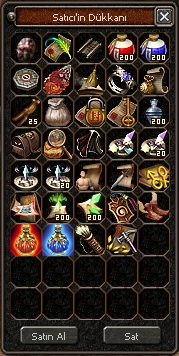
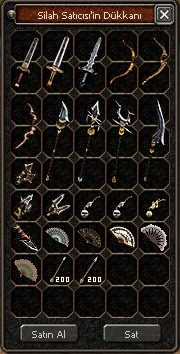
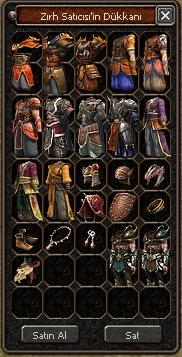
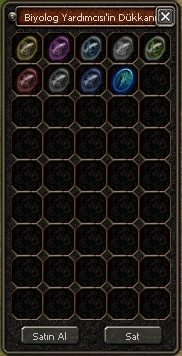
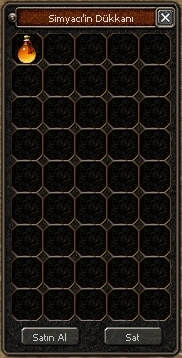
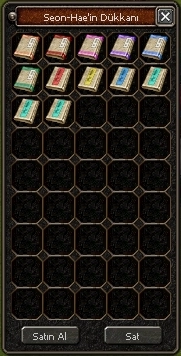
Getting Started

Timed items given at the start of the game last 3 ~ 7 days.
Some of the items you get at the start are shown below:





| Icon | Item |
|---|---|
 |
Manni Mount |
 |
Auto Hunt (1 day)Cannot be used for automatic Metin stone hunting. |
 |
Metin Stone Detector (50 uses) |
 |
Weapon Skin Ticket |
 |
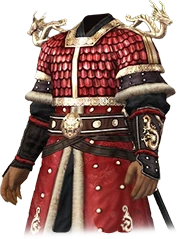
Red Azrael Costume |
 |
Dragon God (x50)STR, DEX, INT and VIT Dragon God marks. |
 |
Support Shaman (Dragon Force) |
 |
Cape of Courage (x200) |
 |
Potion BagLets you buy potions remotely. Requires Yang. |
 |
Mystic Oracle CatThe pet may change. |
 |
PotionsGreen Potion, Purple Potion, Critical Hit and Piercing Hit |
Offline Shop
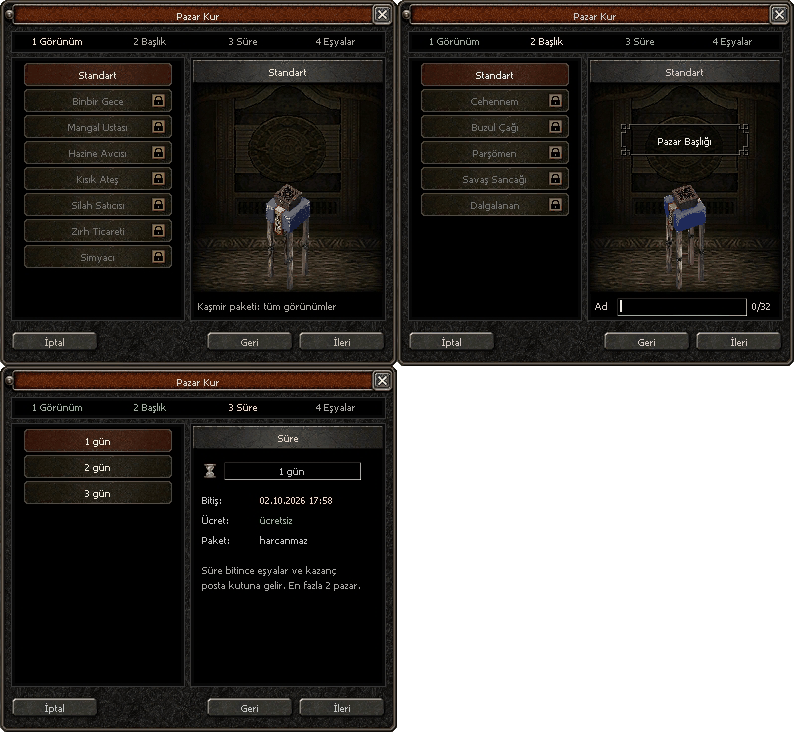
You can open your shop with the package bought from the General Store or with the button in your inventory.
- You can open your shop for 24 ~ 72 hours. (The fee depends on the duration.)
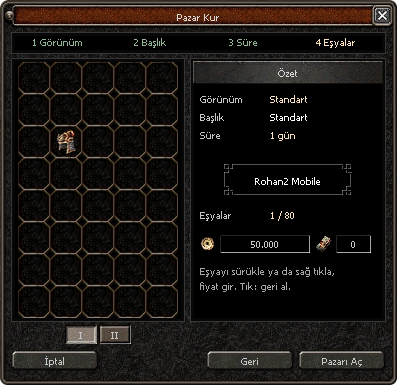
- You can view your shop by clicking the shop button in the equipment window.
- You can add items to or remove them from your shop through this window.
- Each character can open up to 2 shops.
- You need a Cashmere Package to change the look of your shop.
Shop Expansion
With Shop Expansion you can click locked slots to unlock them permanently and add more items. Placing a Shop Time Scroll in the edit slot earns shop points: at 500 points, 5 hours are added to your shop.
Shop Closing
Your shop closes when its time runs out or everything is sold. Collect your earnings and unsold items from the gift box at the bottom left. You cannot open a new shop until the gift box is empty.
Auto Hunt
Auto Hunt is an in-game helper that lets your character hunt creatures in an area on its own. It makes repetitive fights easier: you collect EXP, Yang and items without controlling your character by hand.
You can open the Auto Hunt panel by clicking the  icon or from the tabs that open on the left with the X key.
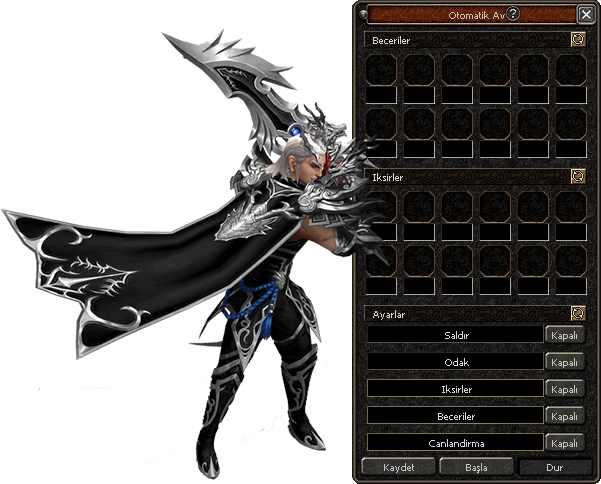
- There are two kinds of auto hunt on our server: Auto Hunt and Auto Hunt (Metin).
- For Auto Hunt (Metin) to work, normal Auto Hunt must be running too.
- You can use a Soul Medallion so you do not get stuck on monsters, mobs and Metin stones.
Six Options
Where to Get It
Auto Hunt
- Gnoll Master
- Gnoll Captain
- Ahtrin Captain
- Ahtrin Grand Master
- Fierce Kappa
- Corrupted Warlord
- Frozen Warlord
- Northwind Warlord
- Hideout Warlord
- Golden Okey Box
- Serpent Treasure
- W. Dragon Box (light)
- W. Dragon Box (heavy)
- Golden King Chest
Auto Hunt (Metin)
- W. Dragon Box (light)
- W. Dragon Box (heavy)
Biologist Research
You can hand in biologist items up to the Red Ghost Tree Branch without waiting.
| Icon | Quest |
|---|---|
 |
Orc ToothTime limit: no time restriction. |
 |
Devil's KeepsakeTime limit: no time restriction. |
 |
Curse BookTime limit: no time restriction. |
 |
Ice BallTime limit: no time restriction. |
 |
Zelkova BranchTime limit: 15 minute cooldown. |
 |
Tugyis TabletTime limit: 30 minute cooldown. |
 |
Red Ghost Tree BranchTime limit: 60 minute cooldown. |
 |
Leaders' NotesTime limit: 6 hour cooldown. |
 |
Evil Eye JewelTime limit: 12 hour cooldown. |
 |
Jewel of WisdomTime limit: 12 hour cooldown. |
 |
Exile Vein CrystalTime limit: 24 hour cooldown. |
 Heart of Beran Instantly resets the timer of the biologist's research. Do not use it if you have no active timer. A used extract cannot be recovered.

Our biologist system lets you hand in the requested materials for your quests wherever you are with your character, whenever you like. It also shows how much time is left and how many items you still need to deliver. Complete your quests remotely without bothering Biologist C.!
Aura Costume
Gather the power of your jewellery in a single costume and make your aura shine one tier brighter with every evolution.

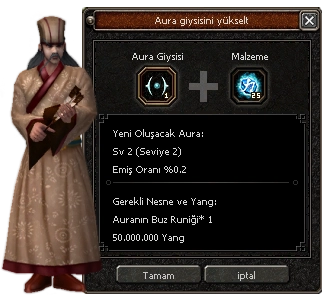
The aura costume is upgraded with the Aura Ice Rune dropped by monsters and evolved at levels 49, 99, 149, 199 and 249. As the level rises, so does the absorption rate of the values. You can transfer the values of a bracelet, necklace, earrings and shield to the costume, and the transferred item is destroyed in the process.
General Rules
- Only the aura costume, shields, necklaces, earrings and bracelets can be added.
- Only the aura costume and aura upgrade materials can be placed in the aura window.
- Evolving and upgrading the aura costume costs 50,000,000 Yang.
- It does not work with soulbound items.
- It does not work with an aura costume that already has an item transferred to it.
- The aura costume can only be upgraded after it has been evolved.
I Common Aura Costume
- Upgrade
 Aura Ice Rune ×1 and 50,000,000 Yang
 - Evolution · Level 49
 Aura Fire Rune (10) and 50,000,000 Yang, becomes the Simple Aura Costume
II Simple Aura Costume
- UpgradeAura Ice Rune ×1 and 50,000,000 Yang
- Evolution · Level 99Aura Fire Rune (10) and 50,000,000 Yang, becomes the Noble Aura Costume
III Noble Aura Costume
- UpgradeAura Ice Rune ×1 and 50,000,000 Yang
- Evolution · Level 149Aura Fire Rune (10) and 50,000,000 Yang, becomes the Sparkling Aura Costume
IV Sparkling Aura Costume
- UpgradeAura Ice Rune ×1 and 50,000,000 Yang
- Evolution · Level 199Aura Fire Rune (10) and 50,000,000 Yang, becomes the Magnificent Aura Costume
V Magnificent Aura Costume
- UpgradeAura Ice Rune ×1 and 50,000,000 Yang
- Evolution · Level 249Aura Fire Rune (10) and 50,000,000 Yang, becomes the Radiant Aura Costume
VI Radiant Aura Costume
Final tier. The aura costume reaches its highest form here.
Upgrades and evolutions are done at Teovahdan. Runes drop from monsters.
Talismans
Hover over or click a talisman to see the power it gives at each tier.
Fire Talisman
| Tier | Required Level | Power of Fire | Strong against Metin stones |
|---|---|---|---|
| +25 | 20 | %25 | %5 |
| +50 | 30 | %50 | %10 |
| +100 | 40 | %100 | %20 |
| +200 | 60 | %200 | %40 |
Ice Talisman
| Tier | Required Level | Power of Ice | Strong against Metin stones |
|---|---|---|---|
| +25 | 20 | %25 | %5 |
| +50 | 30 | %50 | %10 |
| +100 | 40 | %100 | %20 |
| +200 | 60 | %200 | %40 |
Earth Talisman
| Tier | Required Level | Power of Earth | Strong against Metin stones |
|---|---|---|---|
| +25 | 20 | %25 | %5 |
| +50 | 30 | %50 | %10 |
| +100 | 40 | %100 | %20 |
| +200 | 60 | %200 | %40 |
Dark Talisman
| Tier | Required Level | Power of Darkness | Strong against Metin stones |
|---|---|---|---|
| +25 | 20 | %25 | %5 |
| +50 | 30 | %50 | %10 |
| +100 | 40 | %100 | %20 |
| +200 | 60 | %200 | %40 |
Wind Talisman
| Tier | Required Level | Power of Wind | Strong against Metin stones |
|---|---|---|---|
| +25 | 20 | %25 | %5 |
| +50 | 30 | %50 | %10 |
| +100 | 40 | %100 | %20 |
| +200 | 60 | %200 | %40 |
Lightning Talisman
| Tier | Required Level | Power of Lightning | Strong against Metin stones |
|---|---|---|---|
| +25 | 20 | %25 | %5 |
| +50 | 30 | %50 | %10 |
| +100 | 40 | %100 | %20 |
| +200 | 60 | %200 | %40 |
- Like other items, talismans can get 4 bonuses with the Ancient Reinforce Item and a 5th with the Blessing Marble, for 6 bonuses in total.
- Talismans can be upgraded to +4 with the War Scroll without any risk.
- Talismans have no bonuses at +0. From +1 on, their own base bonuses appear.
- Talismans locked with a Binding Scroll, like other items, cannot be sold to shops, dropped or upgraded.
Level Quests
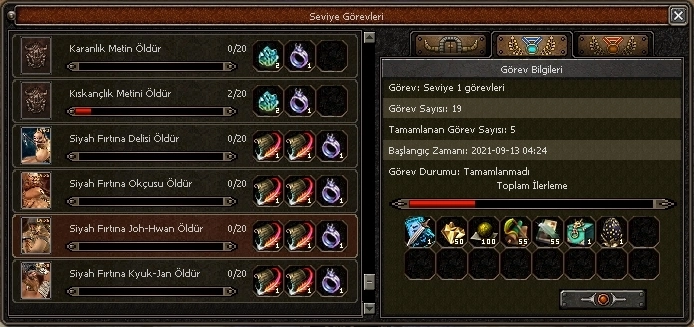
 You can open level quests with this button.
Level quests are a system that gives you unique rewards. At every level you are asked to defeat creatures and monsters in different ways. Completing the quests earns you many rewards. Between level ranges there are also extra quests with big rewards, where you can get many unique items.

In this window you can also see who completed each quest first and the quest details. Once you finish the quests completely, the Dungeon Quests and the Yohara continent quests unlock step by step.
Monster Card
The Monster Card system is available in our game, adapted and adjusted to it. By completing its tasks you can earn unique rewards and bonuses. But it is not easy at all!
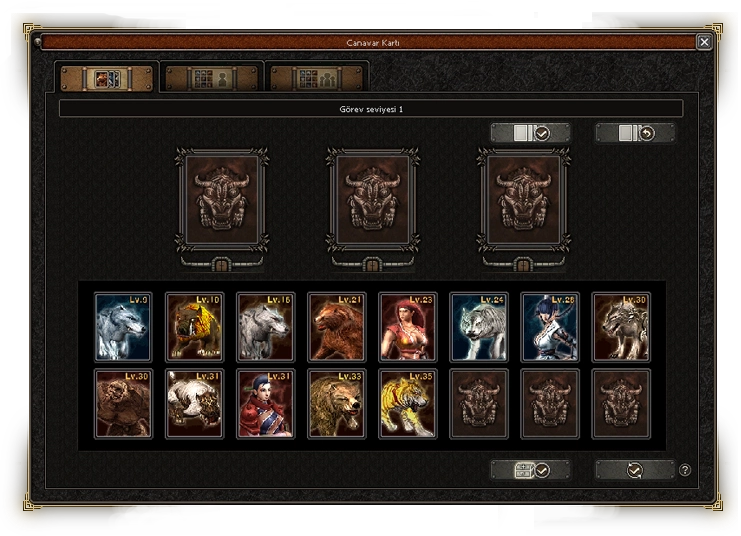
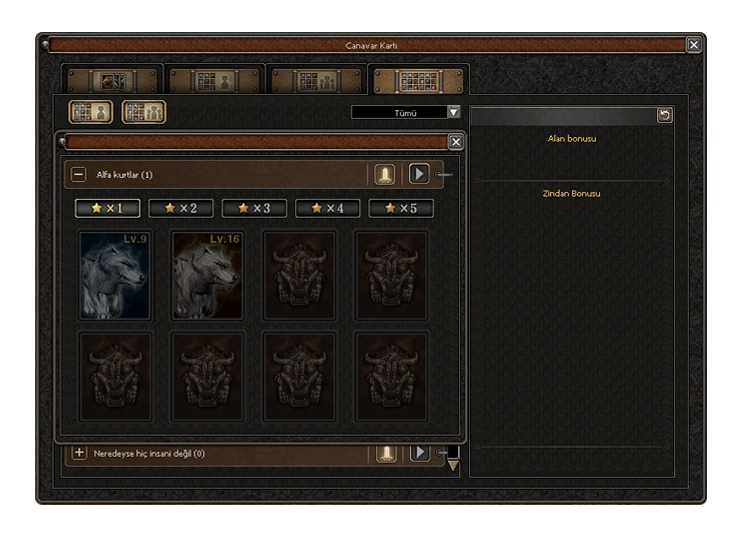
Open the Monster Card system by pressing the  button in the game menu.
Mailbox
-

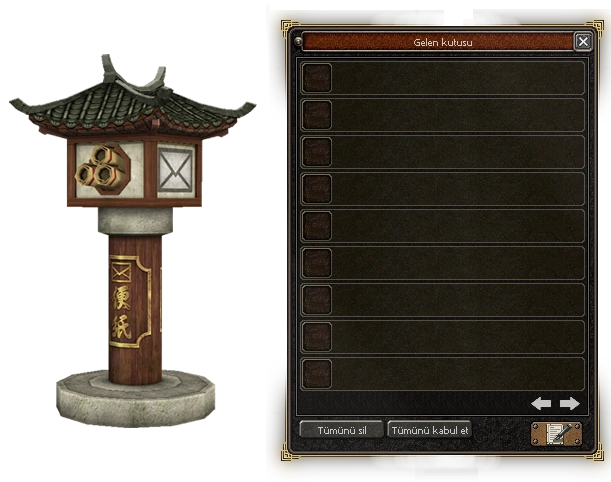
- With the Mailbox you can send messages, items and gifts to your friends.
- With a letter you can send your items and Yang to a friend or to another of your characters.
- Use the Mailbox NPC next to the Storekeeper for your mail.
- You can also send a gift or message to a friend who is not online.
- Each delivery costs 1 million Yang.
-

- When you receive mail, a message button appears on the minimap.
- With a Mailbox item you can open the box remotely, otherwise go to the Mailbox NPC to open it.
-

- Gifts sent to players by the team can be collected from the mailbox.
- Refunds for any issues are sent through the mailbox. These letters carry a GM icon.
Price Check
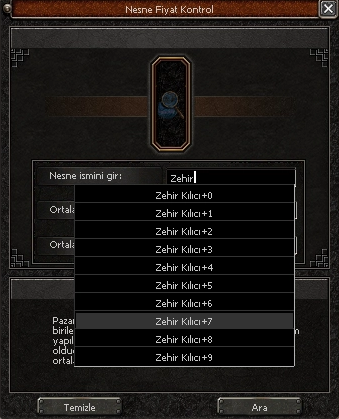
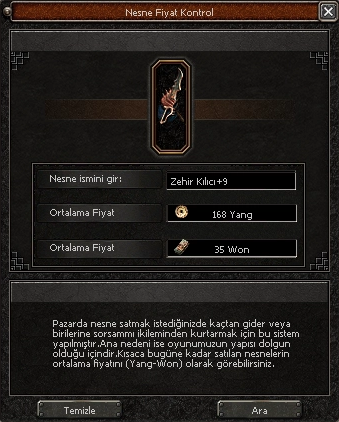
Do not worry if you do not know the market or have just started playing. With Item Price Check you can find the average price of items sold in Offline Shops and set your own price accordingly.
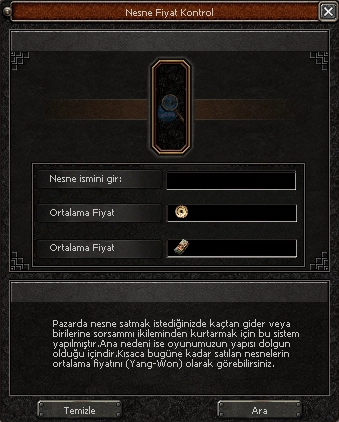
Open the window Open the Price Check window with the  button, the "X" key or the Chat Expansion button.


Bonus Bot
The Bonus Bot never misses the bonus you set. Even with lag, high ping or stuttering, you can leave the bonus switching to the bot. When the bonus you want appears, the top of the window turns green. If you run out of Enchant Items, it turns red.
Open the Bonus Bot with the X key or the Chat Expansion button.
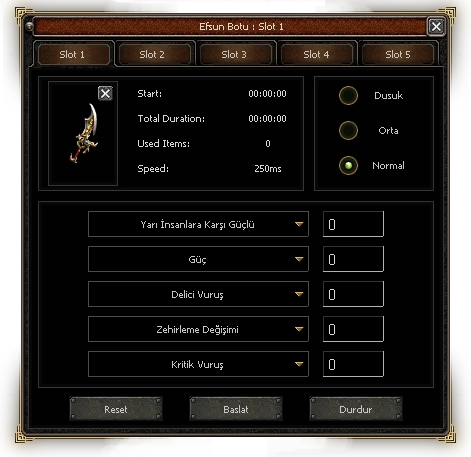
Normal Bonus Bot
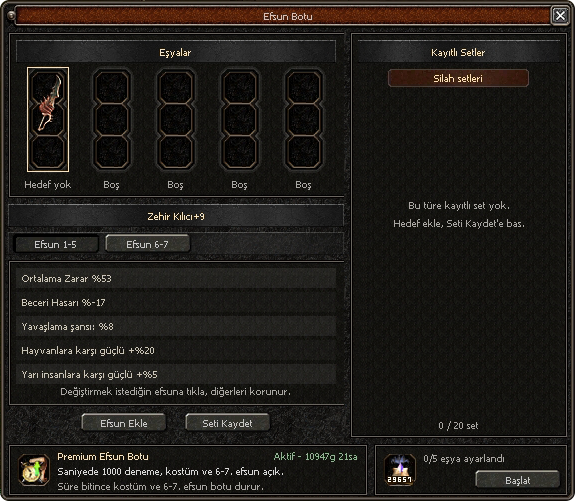
Premium Bonus Bot
 Paid. Bonuses are changed instantly. It can also change costume bonuses and the 6th-7th bonuses of equipment.
Advanced Riding
Your riding level starts at 21 when you begin the game. Train your horse with Horse Feed to raise your stats while mounted, and strengthen all your mounts with Horse Skills.
Raise your horse level through the "Raise horse level" quest at the Stable Boy NPC.
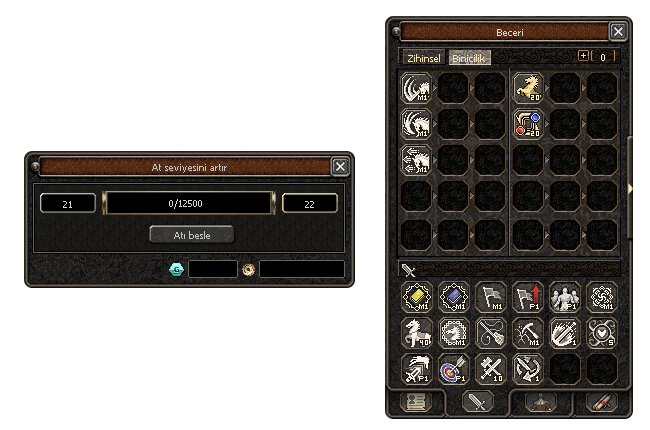

Horse FeedGives your horse 200-250 experience points. When the experience bar is full the horse can level up. If the attempt fails, 100
 Gaya are needed. After level 30, each training requires x100 Horse Feed.
Golden Horse BookOnce your horse reaches level 31, take the Stable Boy's quest and hunt 100 monsters in the Gnoll Caves within 30 minutes. The quest rewards a Golden Horse Book and x50 Horse Feed.

Horse SkillsWith Horse Skill Books you learn 1 skill at horse level 21 and 2 at level 31. The skills work on every mount while you ride, and they level up to 20 without ever failing. The books come from the Horse Skill Chest.
Horse Skill Books
 EXPRiding (EXP)Raises the EXP bonus while riding.
 CompletenessRiding (Completeness)Raises the completeness rate while riding.
 Horse SkillRiding (Horse Skill)Powerful skills make your horse even more useful.
 RandomRiding (Random)Grants a random horse skill.
 WarriorRiding (Strong against Warriors)Strong against Warriors.
 SuraRiding (Strong against Suras)Strong against Suras.
 NinjaRiding (Strong against Ninjas)Strong against Ninjas.
 ShamanRiding (Strong against Shamans)Strong against Shamans.
 LycanRiding (Strong against Lycans)Strong against Lycans.
 No KnockbackRiding (No Knockback)When you attack a monster, you cannot be knocked back for a short time.
 SungMa STRRiding (SungMa STR)Raises SungMa will (STR) while fighting on horseback.
 SungMa VITRiding (SungMa VIT)Raises SungMa will (VIT) while fighting on horseback.
 SungMa RESRiding (SungMa RES)Raises SungMa will (RES) while fighting on horseback.
 SungMa INTRiding (SungMa INT)Raises SungMa will (INT) while fighting on horseback.
 Raging StormRiding (Raging Storm)Raises attack speed for a short time after you mount.
 Agile HoofRiding (Agile Hoof)Raises movement speed for a short time after you mount.
 Feather WalkRiding (Feather Walk)Activates Feather Walk WHEN NOT RIDING.
 InvincibilityRiding (Invincibility)When your HP falls below 30%, you become invincible for 3 seconds.
Relic System
Soul relics give bonuses tied directly to your character, not to your equipment. Combine the spirits you collect from quests on the new continent with the class-specific soul relic from Chaegirab and enjoy extra bonuses for up to 12 hours.
The relic window opens from the character window. Turn the bonuses on and off with CTRLO (Sky) and CTRLP (Earth).
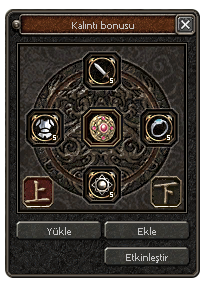
- Soul RelicThe quest to rescue Chaegirab gives a relic shard for your class. Soul relics can also come from the quest books in Dongan Plains and other Yohara maps.
- Adding BonusesPlace the Sword Spirit, Guardian Spirit, Jewellery Spirit and Light Spirit in the window and press Add. Up to 4 bonuses can be added, adding can fail and bonuses cannot be changed.
- ActivationYou can take the relic out again until you press Activate. When the time runs out, you need to refill the soul relic with the matching spirits.
- BonusesBonuses include SungMa will, strength and defence against Metin stones, boss drop chance, skill cooldown reset and escaping death.
Extra Systems
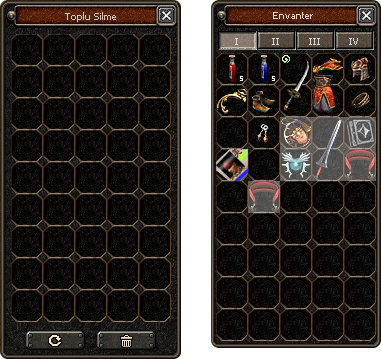
Quick Delete
No need to delete unwanted items in your inventory one by one. With Quick Delete you right-click items to place them in the window and delete them all at once. Open the window with the  button next to your inventory.
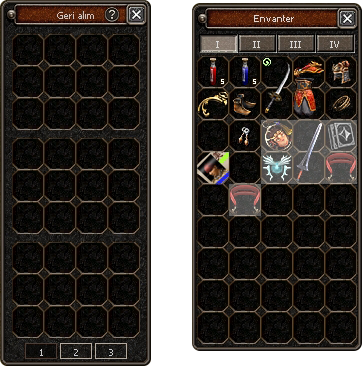
Item Buyback / Recovery
If you sold an item to an NPC or deleted it by mistake, you can get it back by paying a buyback fee. Open the window with the  button next to your inventory.
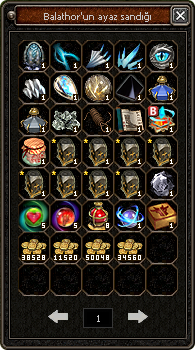
Chest Preview
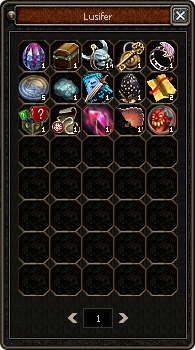
Monster Drop Preview
Click a monster and then the  button to see every item that monster can drop.
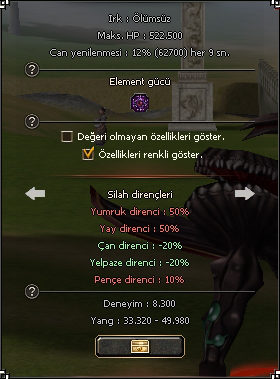
Monster Info
Click a monster and then the  button to see all the details about that monster.

Merchant Enasir
Click the  button next to your inventory to call Merchant Enasir. Through this NPC you can call the General Store or the Storekeeper to your side.
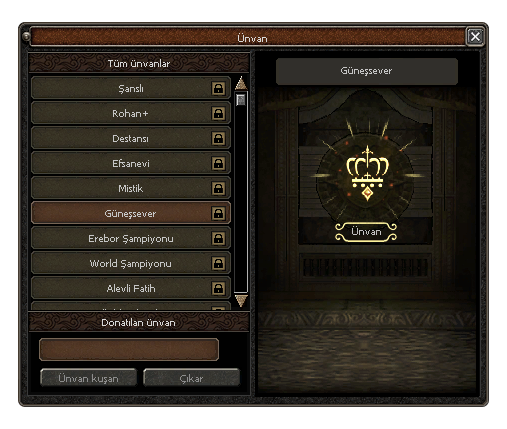
Title System
Personalise your character's look with the title system. Use a title scroll and pick the one that suits you best. Open the title window with the  button on the character info screen.
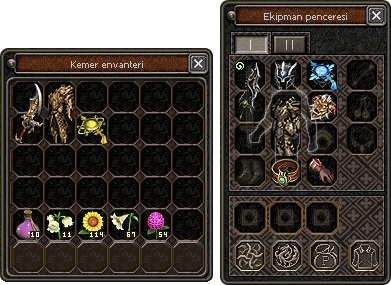
Extra Equipment Page
Official Element Scroll
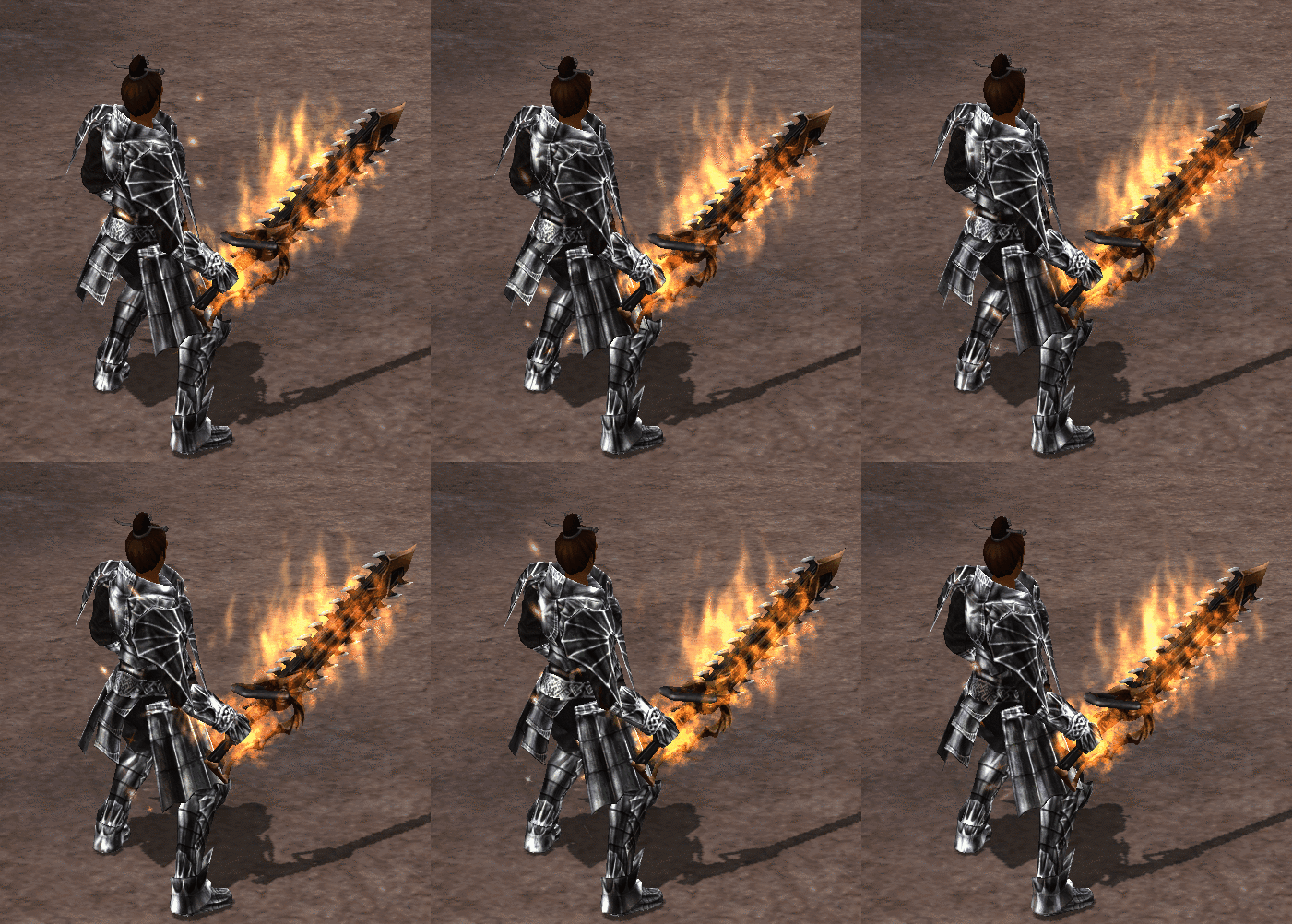
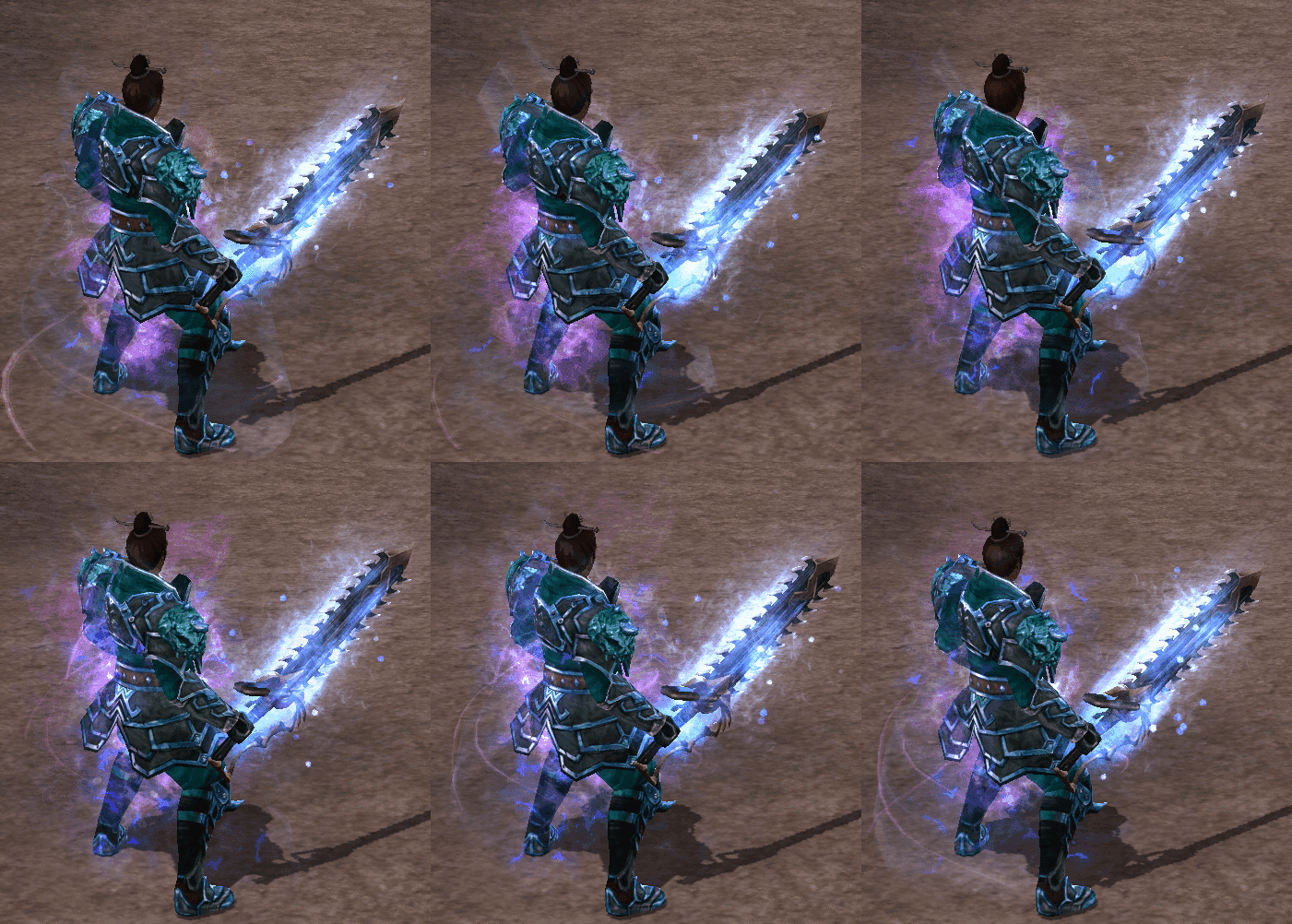
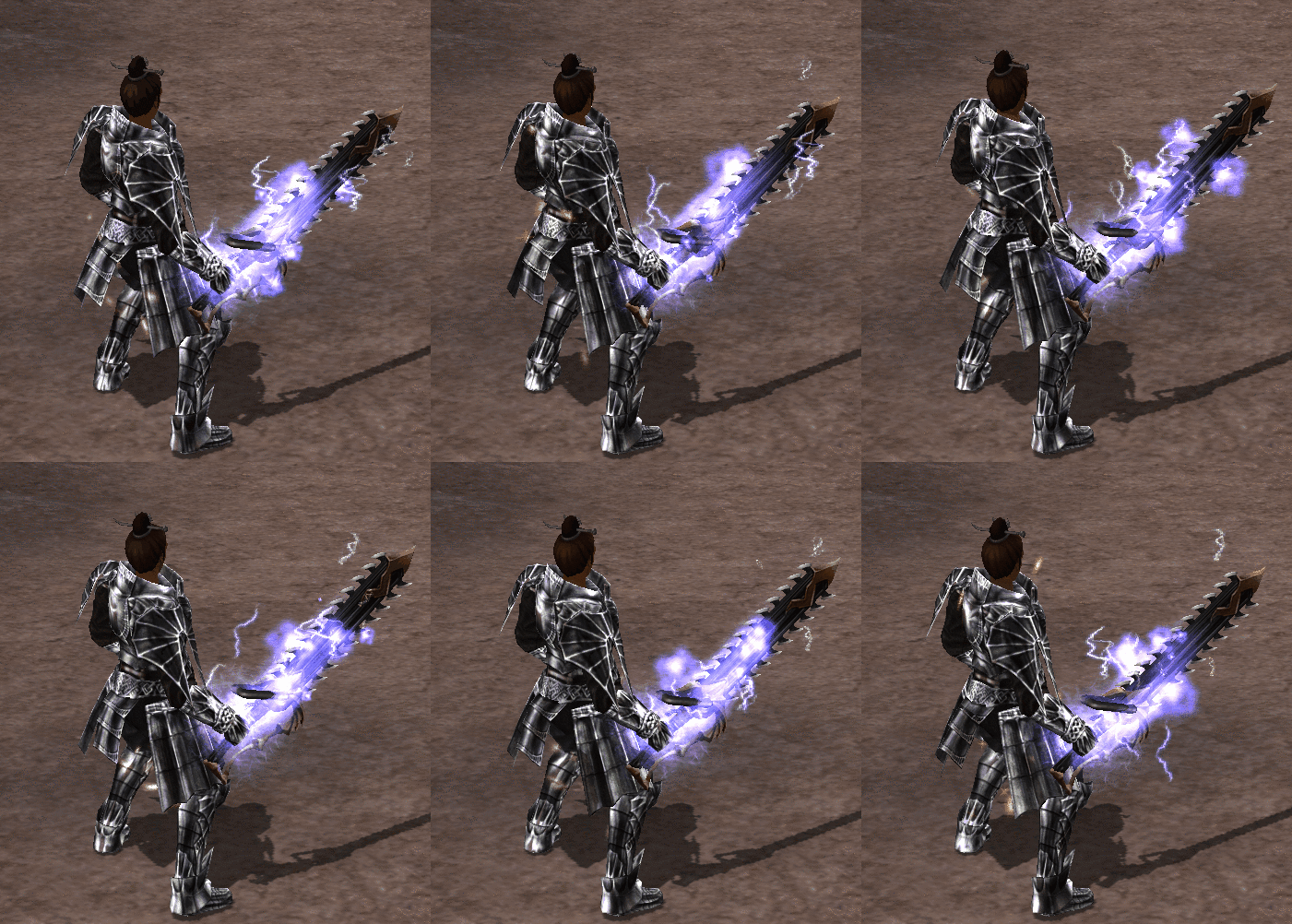
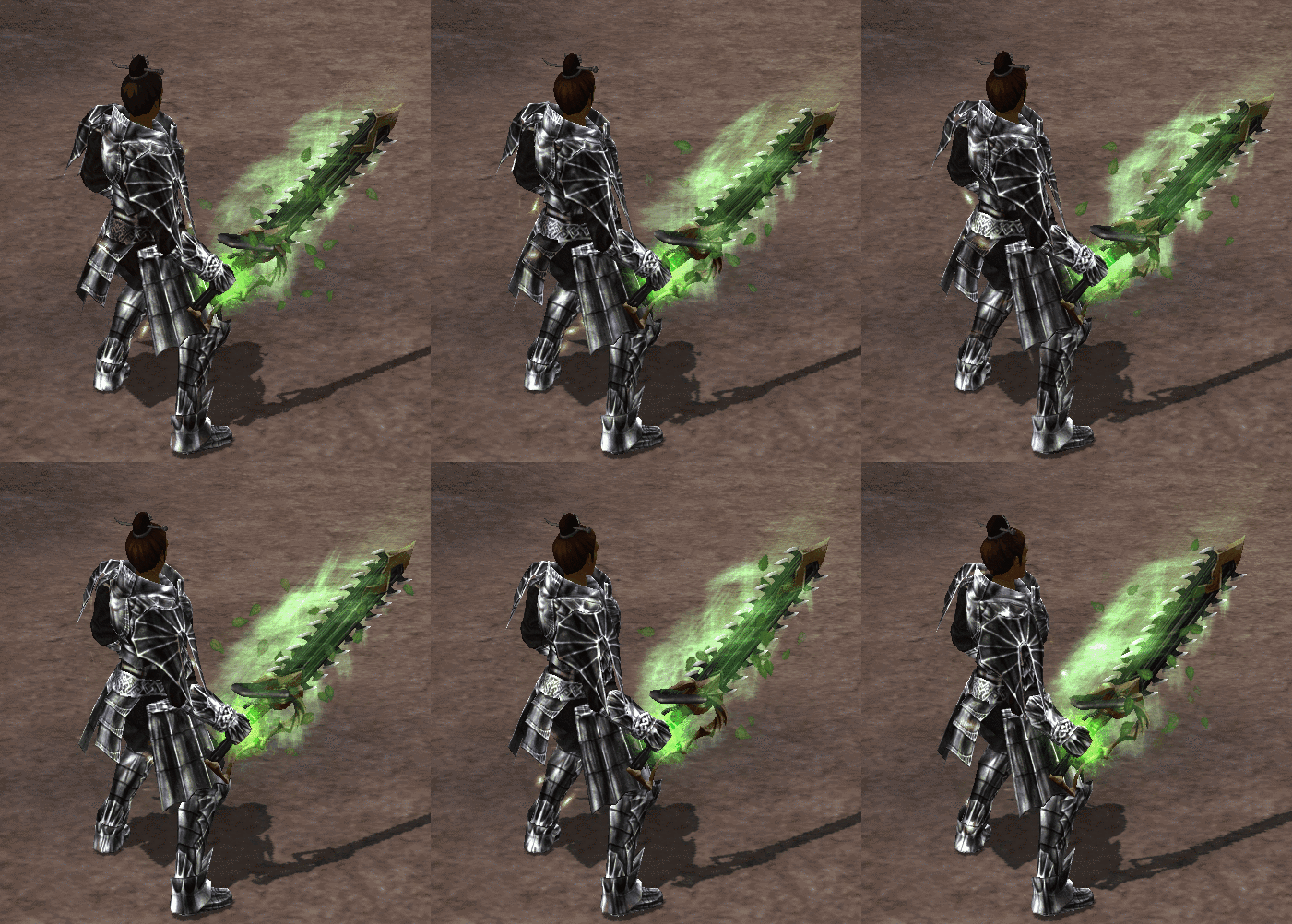
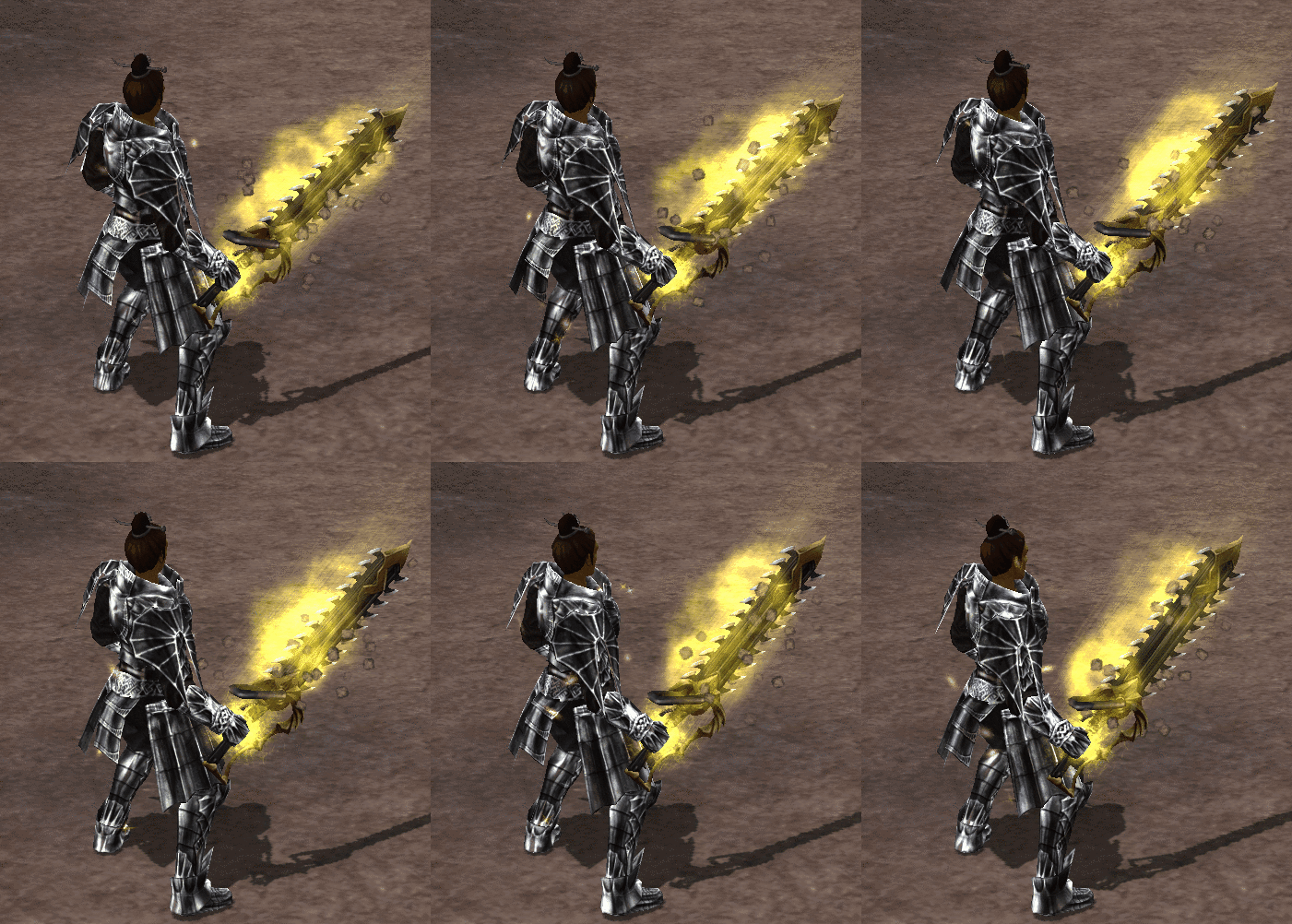
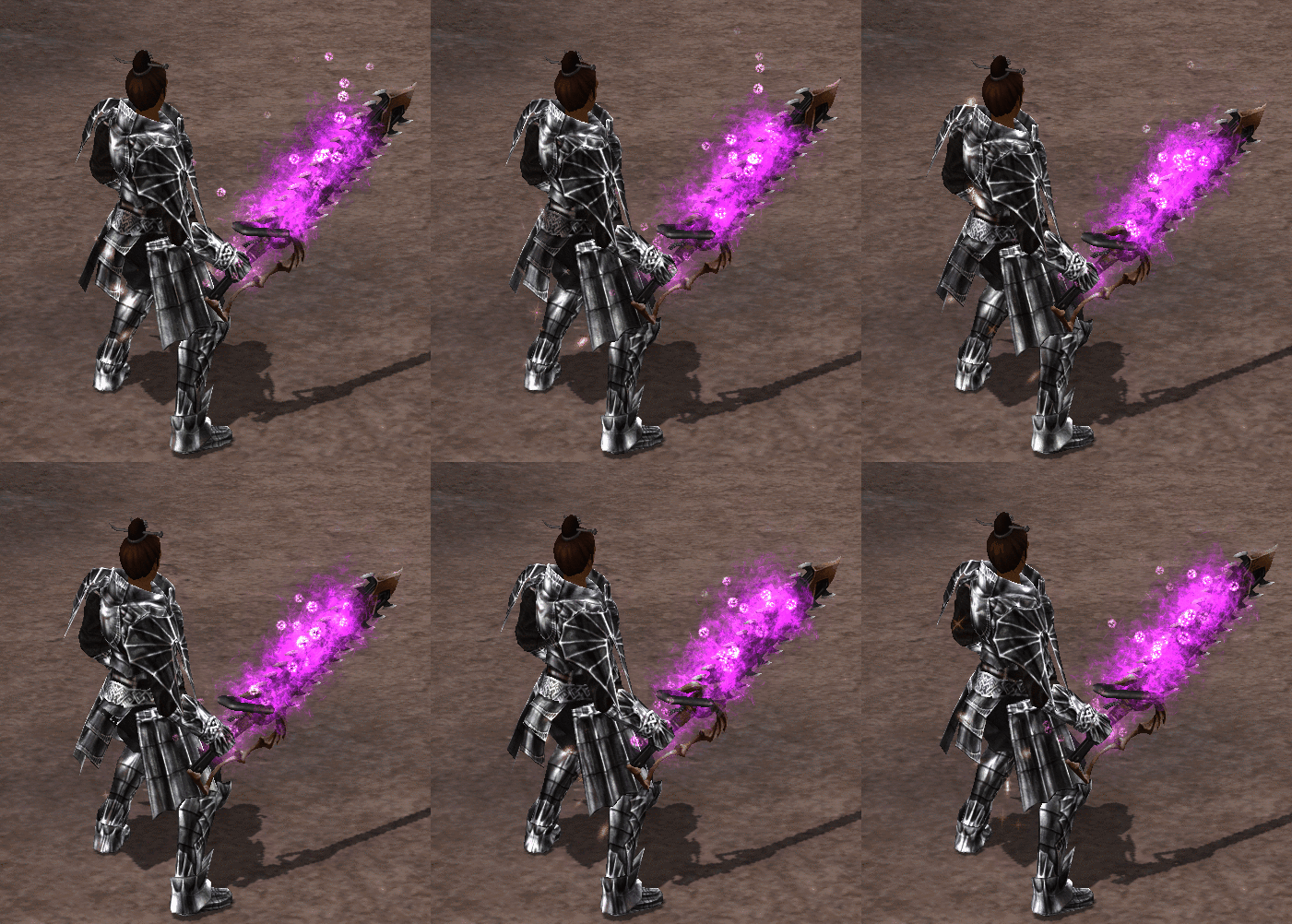

Changing the Elemental Scroll
To change the elemental power of a weapon that already has an elemental scroll, you need a Change Scroll. With it you can change the weapon's basic elemental enchantment.
Chat Filter
With the Chat Filter, only the messages you want to see stay in the chat window. Set channels, languages and notifications to your liking and save them.
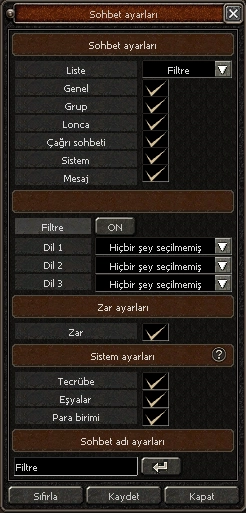
- Chat typesChoose what you want to see from the General, Group, Guild, Shout, System and Message channels.
- Language filterTurn the filter on and pick up to three languages to see only messages in your own language.
- NotificationsTurn dice results and experience, item and currency notifications on or off as you like.
- Chat nameGive your list a name, save your changes or reset everything with one click.

Events
We have many events, most of them inspired by or taken from the official game. Besides the events held regularly every week, there are special and surprise events too. Special events take place "on set dates or as a surprise" and last a long time. Daily events are shorter and run all the time.
In the game you can check routine and special events with the "E" button on the minimap.
Classic Events
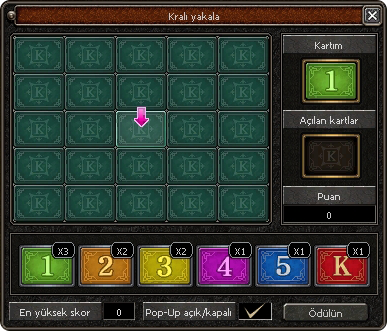
Catch the King
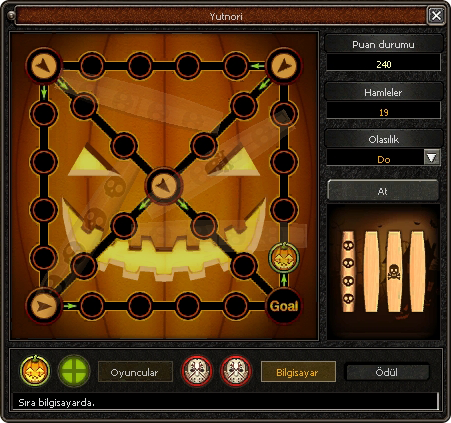
Yutnori
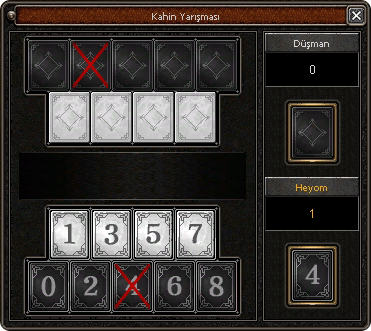
Oracle Event
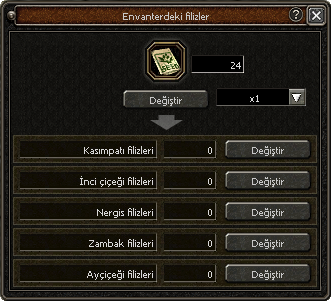
Flower Children
Metin Fire
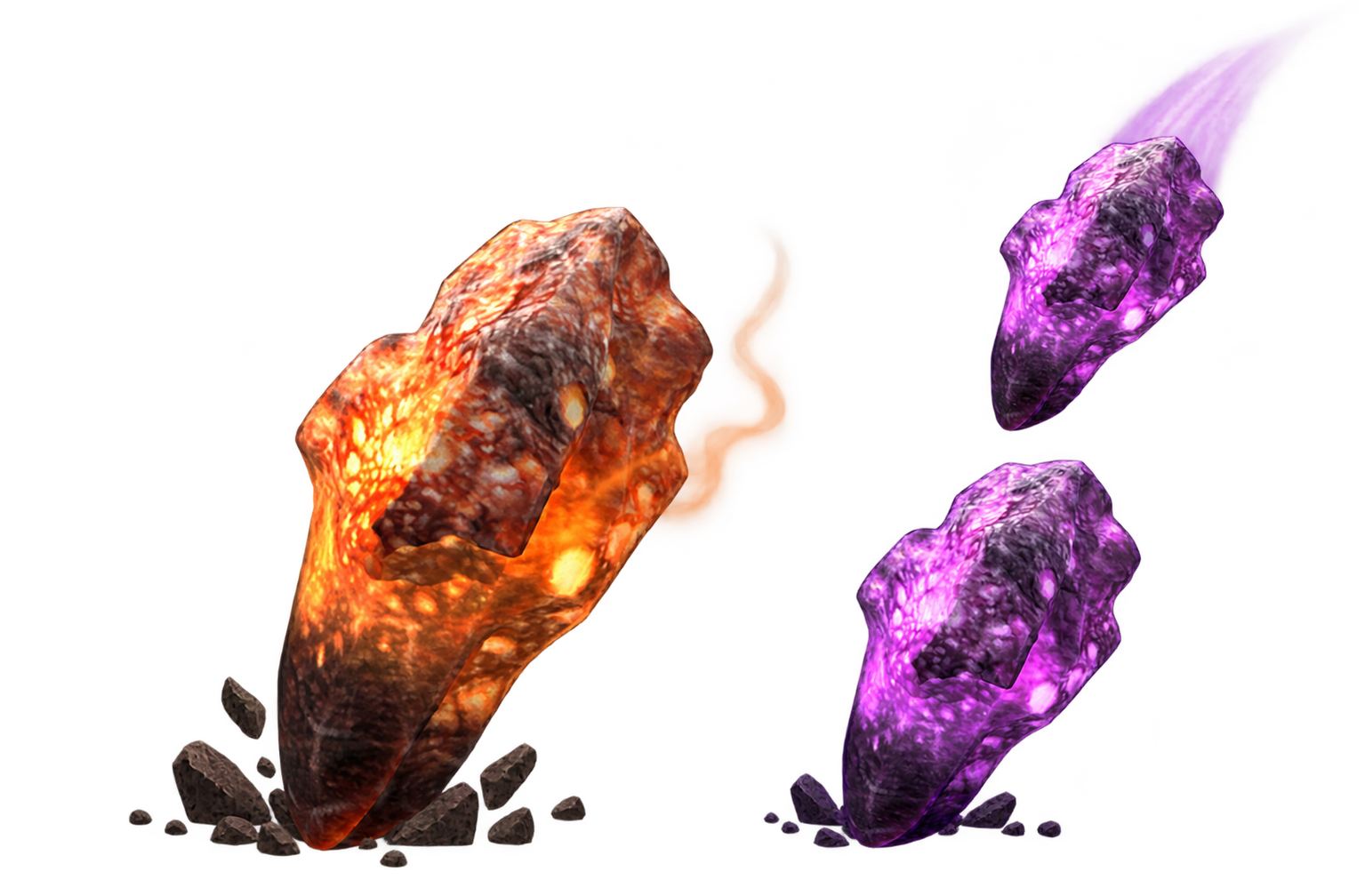
Metin Rain
Special Events
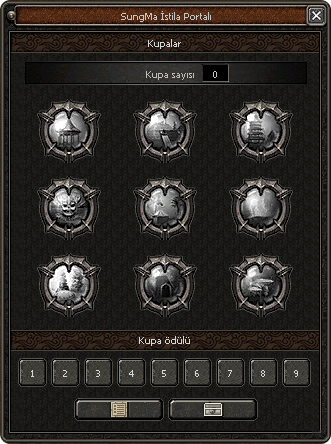
SungMa Invasion Portal
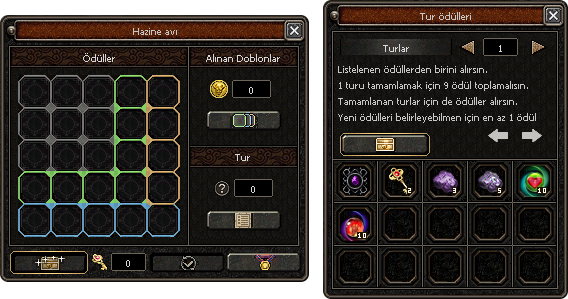
Treasure Island
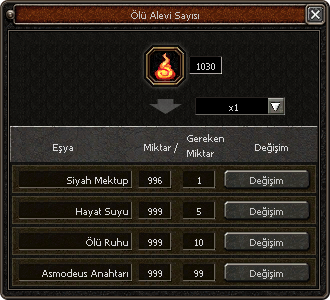
Journey to the Afterlife
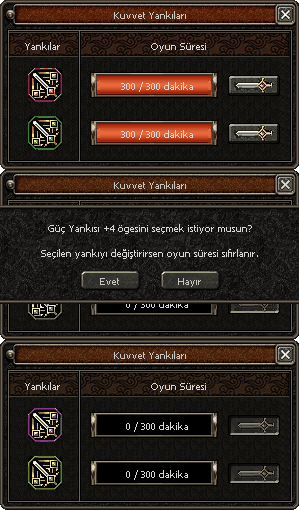
Echoes of Power
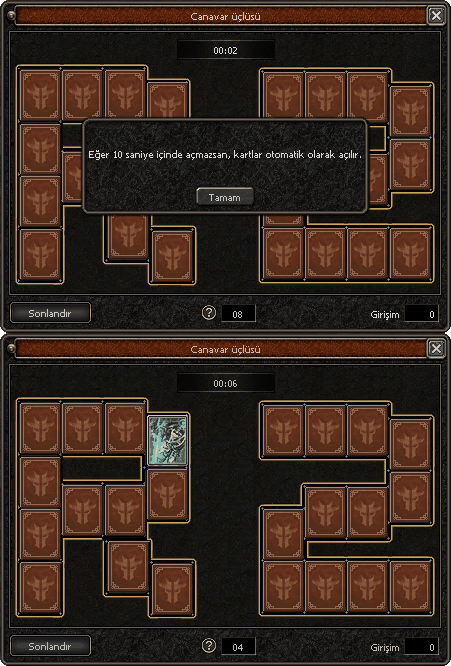
Monster Trio
Event Calendar
Events that repeat every week. Times are in Turkish time (TRT).
Full calendarSpecial Maps

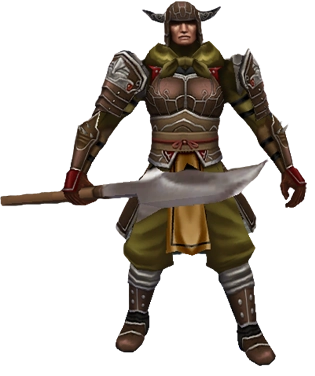
Yohara Continent
Once you become a Champion, the Warrior Statue at the harbour takes you to the new continent, Yohara. The village guards have been attacked by Sung Mahi's dark demons. Destroy the demons and their kings, hold the ritual in the temple and clear the road to the village.
As you help the locals rebuild their village, they reward you with items and services. Biologist Chaegirab's quests permanently raise your SungMa will. New enemies and quests await you in the Abandoned Fortress, Dongan Plains, Seogan Wastes and Namgan Rift.
More info


Serpent Temple
Queen Nethis, one of Sung Mahi's most loyal confidants, left the Hell Tower in Seogan Wastes and took over the cursed Serpent Temple. In the temple you can obtain the serpent armour with its powerful bonuses and farm in the new mysterious dungeon.
More info

White Dragon Alastor
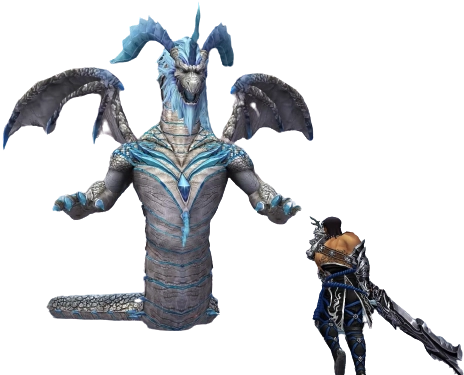
Alastor, the white dragon sleeping in the icy depths of Spirit Ridge, is waking again with Sung Mahi's energy. Gather materials for the serpent weapons in Northwind Cliffs and Spirit Ridge, then take your group of 4-8 into the Northwind Hideout with 3 frozen keys.
Those who defeat the dragon within 30 minutes may, with some luck, win the Exalted Northwind Dragon mount and the Furious Mini Alastor pet.
More info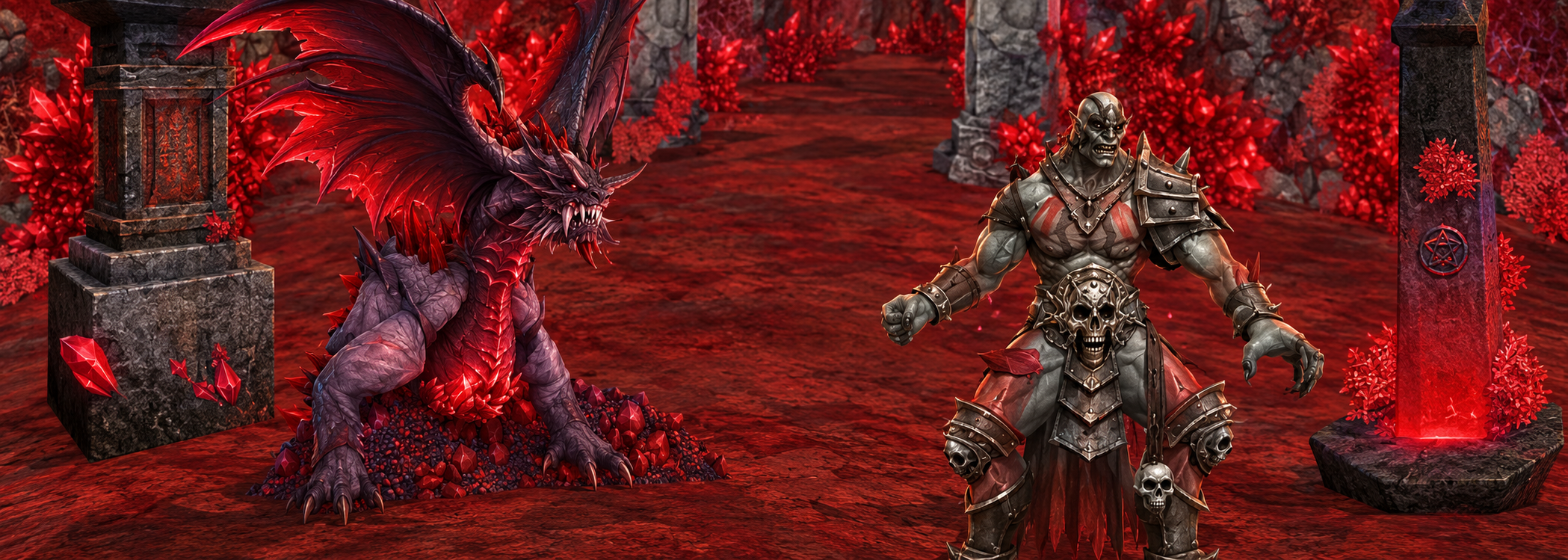
Rhae Agile: Agile's Lair
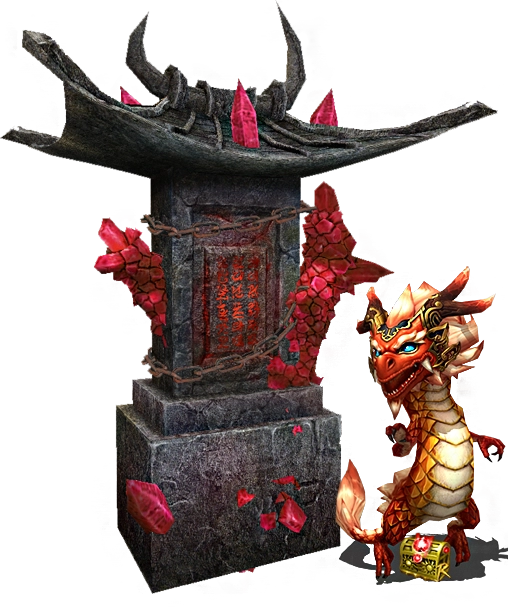
Contrary to the known story, there were four great gods before humanity, and the mightiest was Rhae Agile, god of darkness and the void. When he unleashed demons on the world, his siblings banished him to a crystal-covered place after a thirty-day war in Seungryong Valley.
Agile turned the crystals' power to his own ends, raised an army inside, and the sealed gate began to crack. Sealing the gate again is now up to you.
More info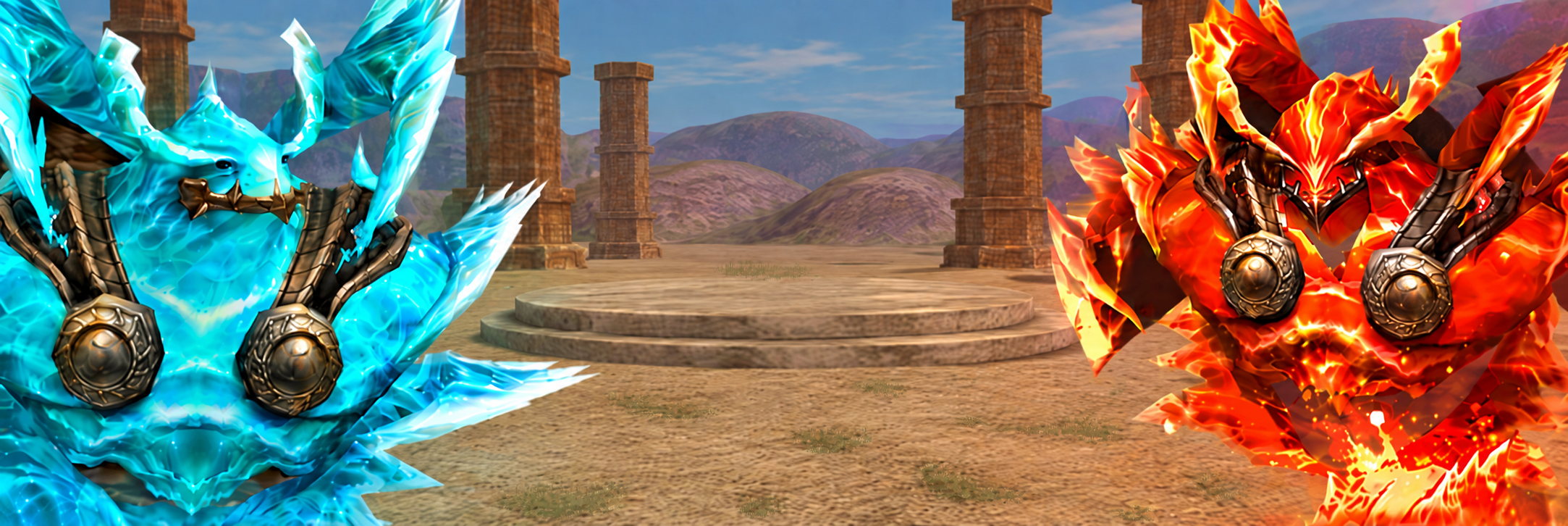
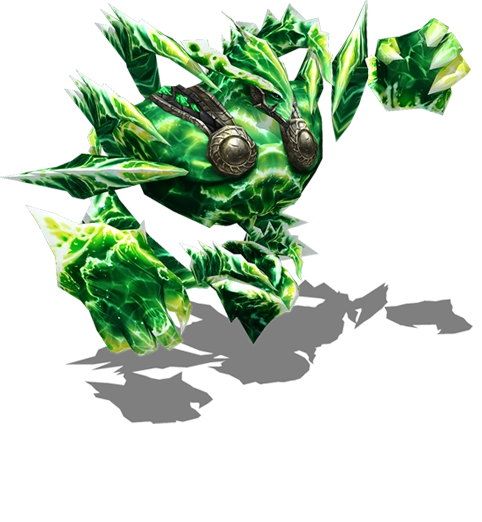
Elemental World
From level 95, a portal on the new continent lets you enter this world for 25,000,000 Yang, where the nature spirits of the six elements await you. Teleport items do not work here, and if you die you leave the map.
Here you can gather materials that add new set effects to your equipment, and with the Ring of Primal Force you can cross to the Plateau of Primal Forces, home of the mightiest rulers.
More info
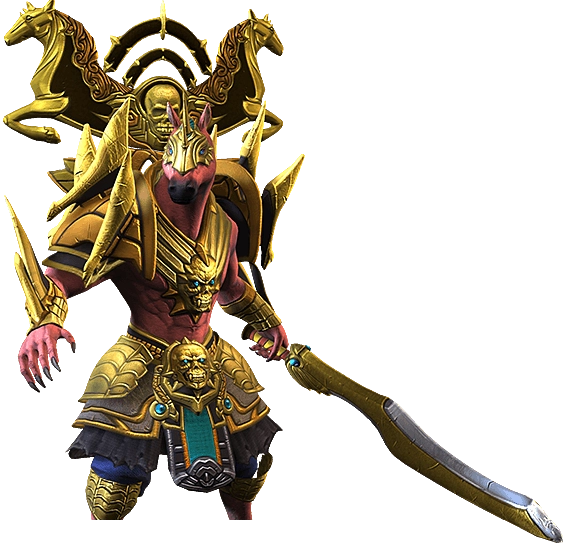
Zodiac Temple
The twelve warriors of the Dragon Cult became the guardians who protect the temple against Sung Mahi. Reached through the Teleporters in the villages, the temple is open from level 20, alone or in a group of up to 8.
Two of the 12 portals open each day, all of them on Sunday, and each entry costs 12 Animaspheres. In the 40-floor temple, those who clear floor 34 win the Golden Zodiac Chest.
More info
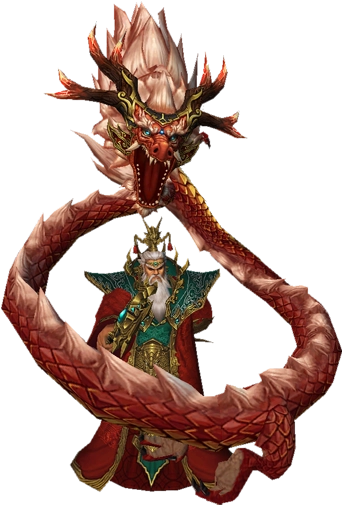
Dragon King's Palace
Opened with the king's key crafted by the guild leader, the dragon portal takes your guild to the palace. Depending on your guild level, Akzadur (21), Nafaroth (24), Exedyar (27), Ruilith (30) or Tyolduran (35) awaits you.
The palace is entered only as a guild, without mounts and with the entry item. You must finish the dungeon within 30 minutes, and the guild cooldown is 60 minutes.
More infoDungeons
Old Continent
| Icon | Dungeon | Level and element |
|---|---|---|
 |
Spider Baroness's NestBoss: Spider Baroness | Lv. 50+ |
 |
Blue Dragon's ChamberBoss: Beran-Setaou | Lv. 75+ |
 |
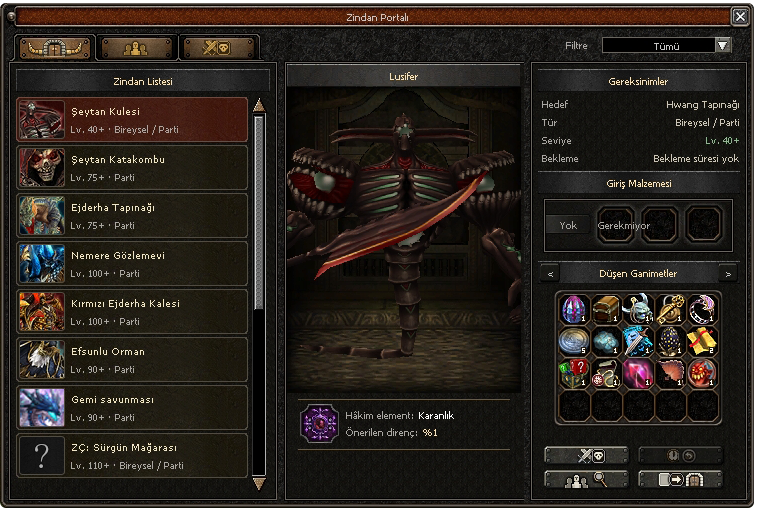
Demon TowerBoss: Lucifer | Lv. 40+ |
 |
Devil's CatacombBoss: Azrael | Lv. 75+ |
 |
Red Dragon FortressBoss: Razador | Lv. 100+ |
 |
Nemere's WatchtowerBoss: Nemere | Lv. 100+ |
 |
Jotun Thrym (Erebos)Boss: Jotun Thrym | Lv. 90+ |
 |
Dragon King's PalaceBosses: five Dragon Kings | Guild Lv. 21+ |
 |
Ship DefenceBoss: Hydra | Lv. 90+ |
 |
Meley's LairBoss: Dragon Queen Meley | Lv. 90+ |
 |
Zodiac TempleBosses: officers of the 12 portals | Lv. 20+ |
New Continent: Yohara
| Icon | Dungeon | Level and element |
|---|---|---|
 |
Gnoll Cave, Floor 1Boss: Gnoll Captain | |
 |
Gnoll Cave, Floor 2Boss: Ahtrin Captain | |
 |
Gnoll Cave, Floor 3Boss: Ahtrin Grand Master | |
 |
Mysterious EchoBoss: Echo of Argos | |
 |
Mysterious DungeonBoss: Mysterious Priest | |
 |
Sung Mahi's Hell Tower | |
 |
Northwind HideoutBoss: Hideout Warlord | |
 |
Northwind DescentBoss: Hideout Warlord | |
 |
Northwind DepthsBoss: Alastor | |
 |
Serpent TempleBoss: Serpent Queen Nethis | |
 |
Balathor's CryptBoss: Balathor | Champion 4+ |
 |
Dark PlateauBoss: Nykos | |
 |
Abyss of GreedBoss: Kalgaroth the Butcher | Champion 10+ |
 |
Heart of GreedBoss: Aamon | Champion 10+ |
Event Dungeons
| Icon | Dungeon | Level and element |
|---|---|---|
 |
Journey to the AfterlifeBoss: Asmodeus | Lv. 90+ |
 |
Treasure Island | Lv. 70+ |
 |
Enigma TempleBoss: Enigma General | |
 |
SungMa InvasionBoss: Invasion Commander | |